SFU Scavenger Mobile App

Create and manage scavenger hunts for SFU events. Players join with a code, complete challenges, and compete on a live leaderboard.

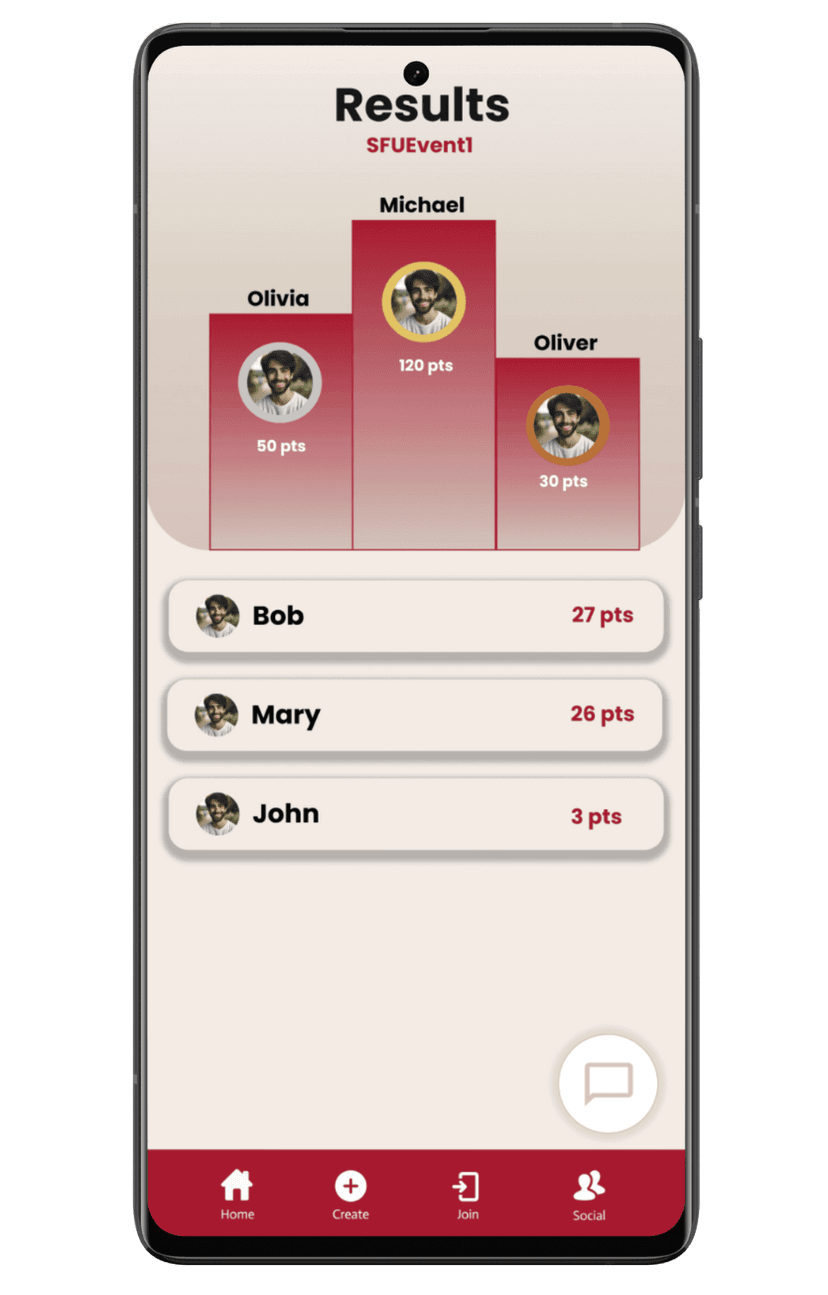
App Screenshot

Original Pitch

SFU Scavenger is an interactive scavenger hunt platform designed to streamline the process of creating, managing, and experiencing scavenger hunts at SFU.

The idea came from experiencing scavenger hunts at events like Frosh, hackathons, and club socials, where the traditional process was manual, time-consuming, and hard to track. Gone are the days of filling out your answers on paper and waiting for your points to be tallied.

With SFU Scavenger, players can join a game using a unique code, view tasks in real time, and submit their answers or photos through the app. The host has a separate interface to create, manage, and track game progress, automating logistics so players can focus on the fun. Our goal is to encourage more student involvement with campus activities through a modern, multiplayer social experience.
Privacy and Security

We have several layers of privacy and security in place to ensure data is handled securely:

Firestore Rules

Areas of the database are set up with strict Firestore rules, so only users that should have access in this area (e.g., members of a team in the chat) are able to access it.

Client-Side Chat Encryption

  • Chat messages are encrypted using AES-GCM.
  • Firestore only stores the ciphertext.
  • The UI transparently decrypts messages in memory.

Image Security

  • Images are securely stored in Firebase Storage.
  • Only authorized users have access to them.

Team Breakdown

Contributions to the project:

Ali

  • Implemented Event Creation
  • Integrated Google Places API for location selection
  • Used conditional rendering in Jetpack Compose
  • Experimented with Cloud functions to implement scheduled events
  • Implemented Task Creation
  • Generated QR codes using Google’s zxing library
  • Saved QR codes to gallery using MediaStore (scope storage support)
  • Automated Task Verification
  • Integrated QR code scanning functionality using zxing library
  • Integrated automatic verification comparing decoded values with stored values

Alex

  • Set-up Firebase database with Firestore
  • Utilized NoSQL structure for non-relational data storage
  • Configured database security rules to ensure secure access
  • Implemented Map features using Google Maps API
  • Linked task submissions and game locations to live-update on the map from Firestore
  • Implemented Chat feature with live updates via Firestore
  • Used Firebase Storage to show profile pictures
  • Added Game activity and handled routing between screens and activities

Raymond

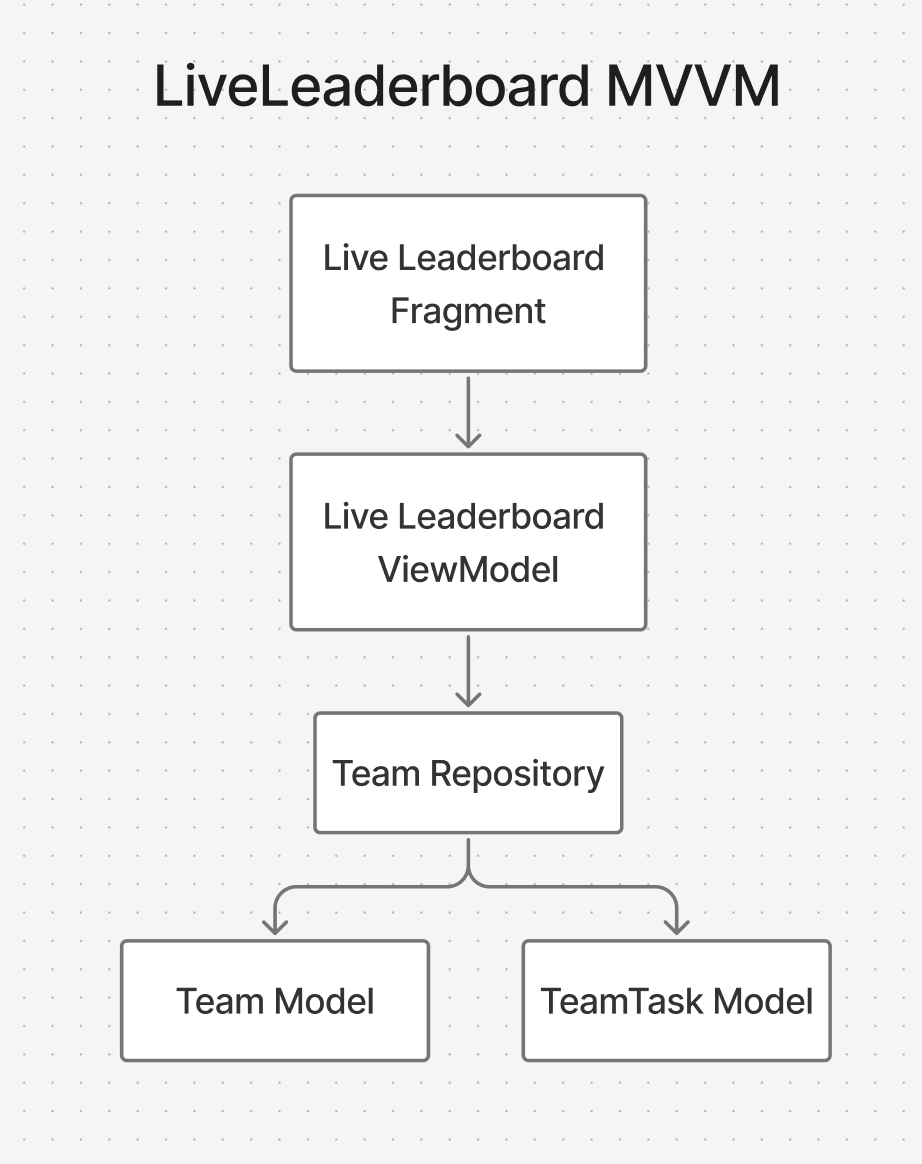
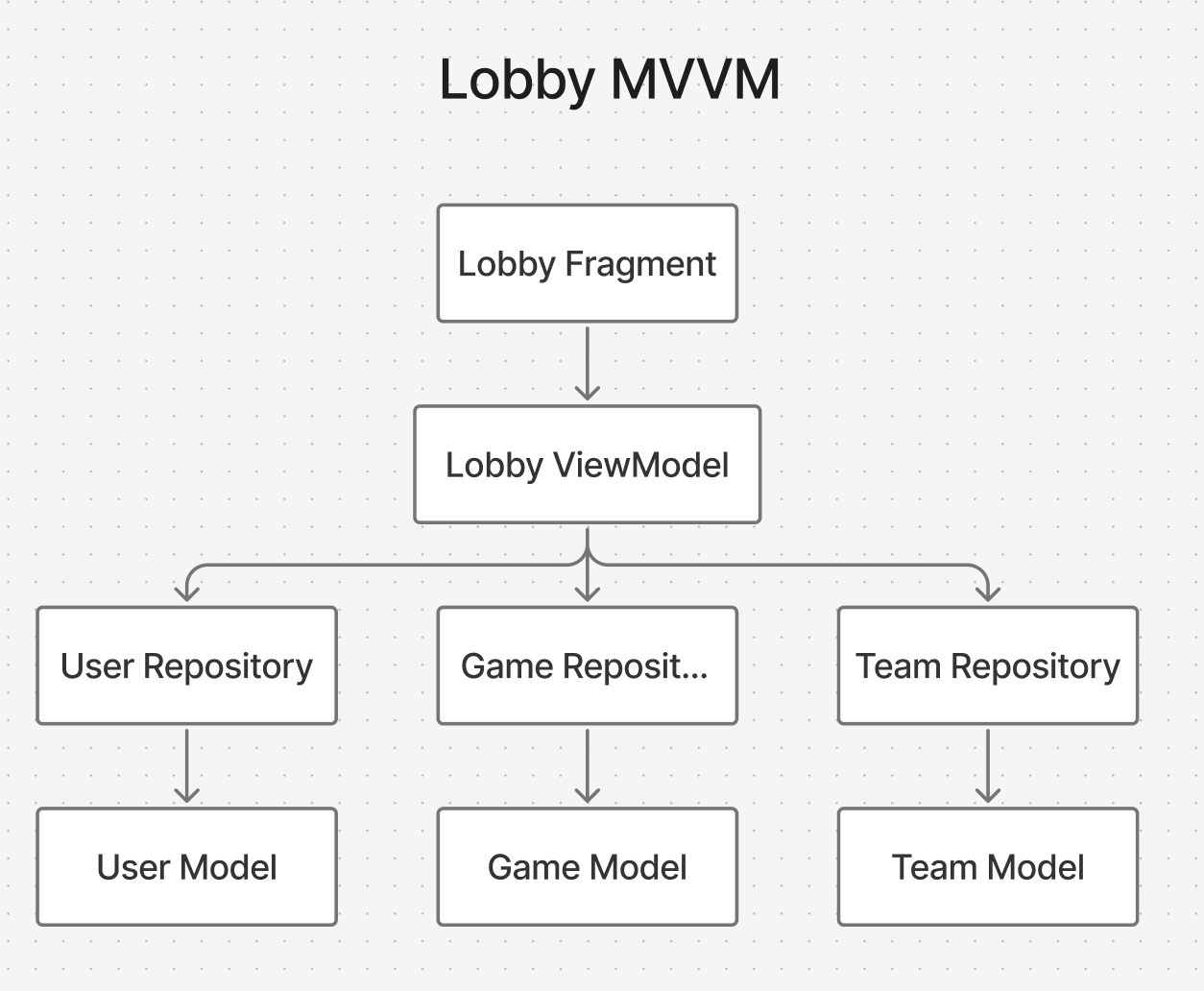
  • Implemented Team Repository
  • Used Firestore transactions to update member counts and enforce team rules
  • Implemented Lobby Screen
  • Used snapshot listeners to live update team lists and member info
  • Implemented Task Screen for Host and Players
  • Queried Firestore for task data and merged task and submission states
  • Created and handled text and photo tasks

Karen

  • Implemented profile screen and friends list
  • Handled media flow through Firebase and enforced rules for profile pictures
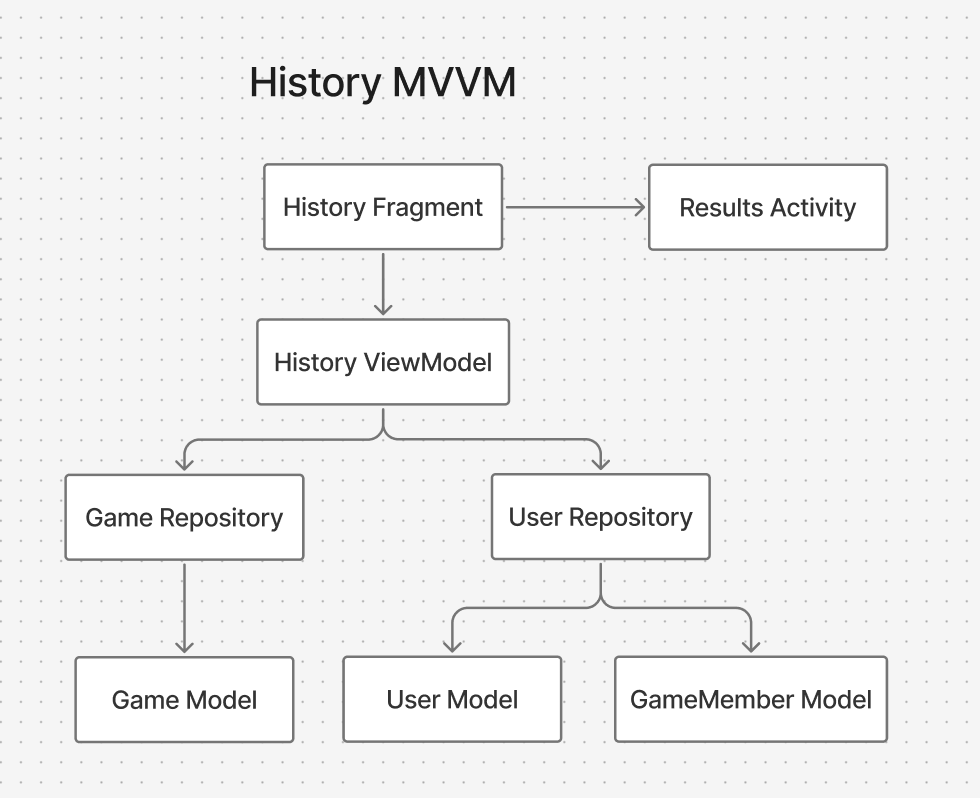
  • Implemented history page, allowing user to see previous games and their results
  • Stitched together multiple Firestore collections using coroutines
  • Implemented placement page, allow user to see the ranking podium against other users
  • Implemented results screen, allowing user to see their score and the tasks that they submitted
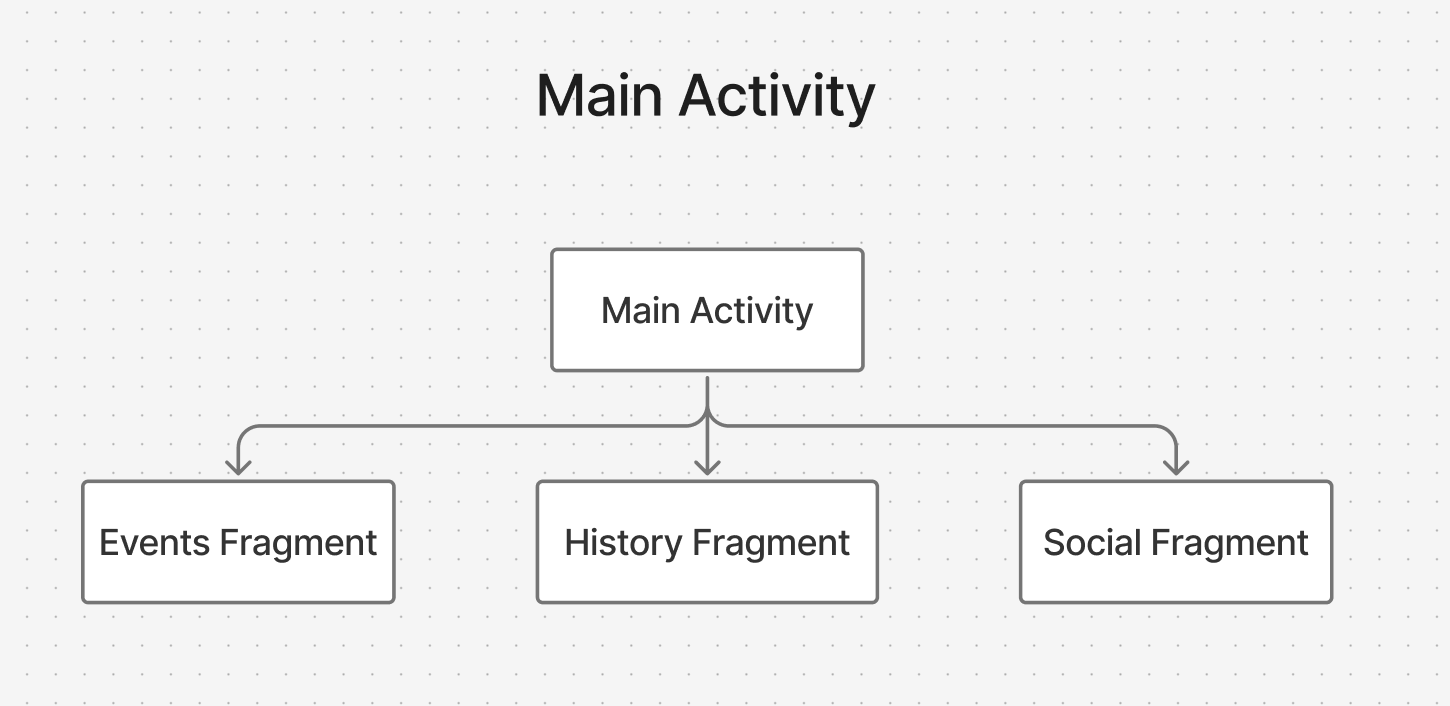
  • Maintained multiple NavHosts across activities
  • Created reusable UI components

Download & Source Code

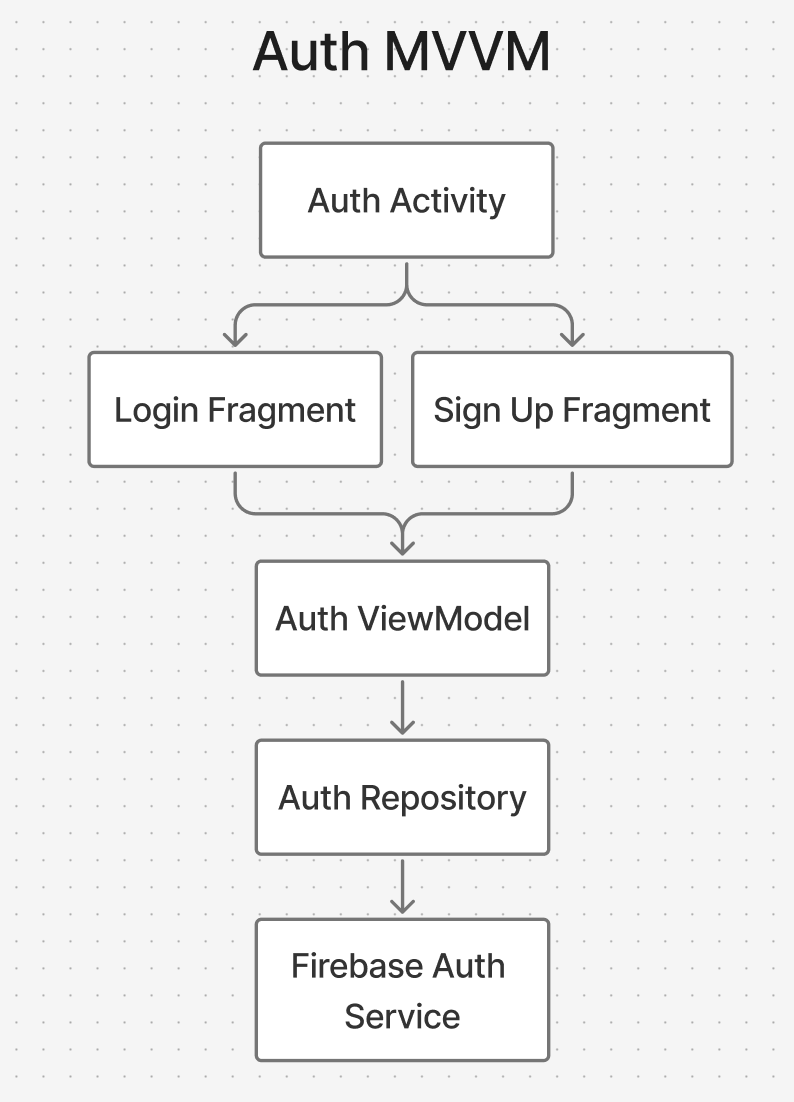
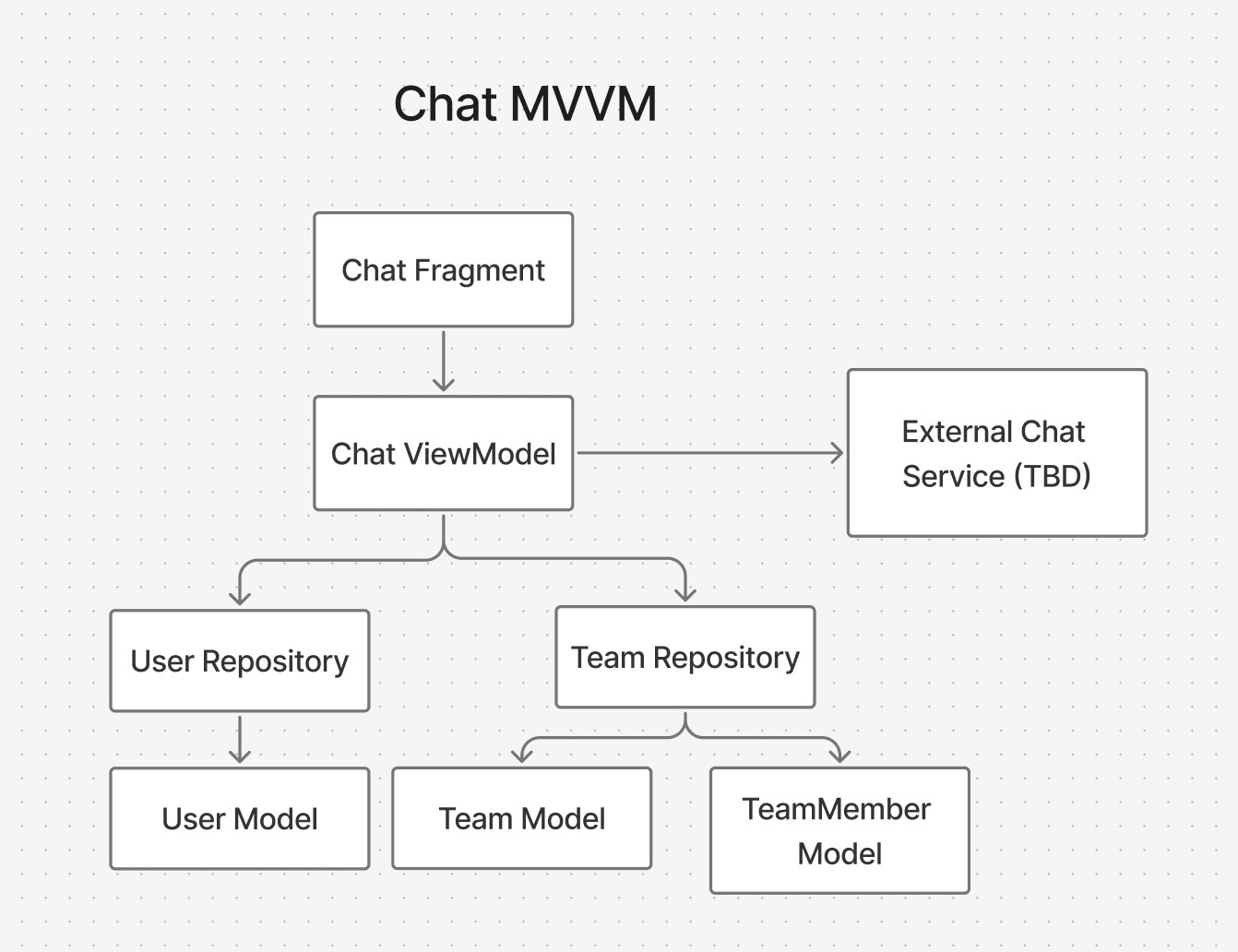
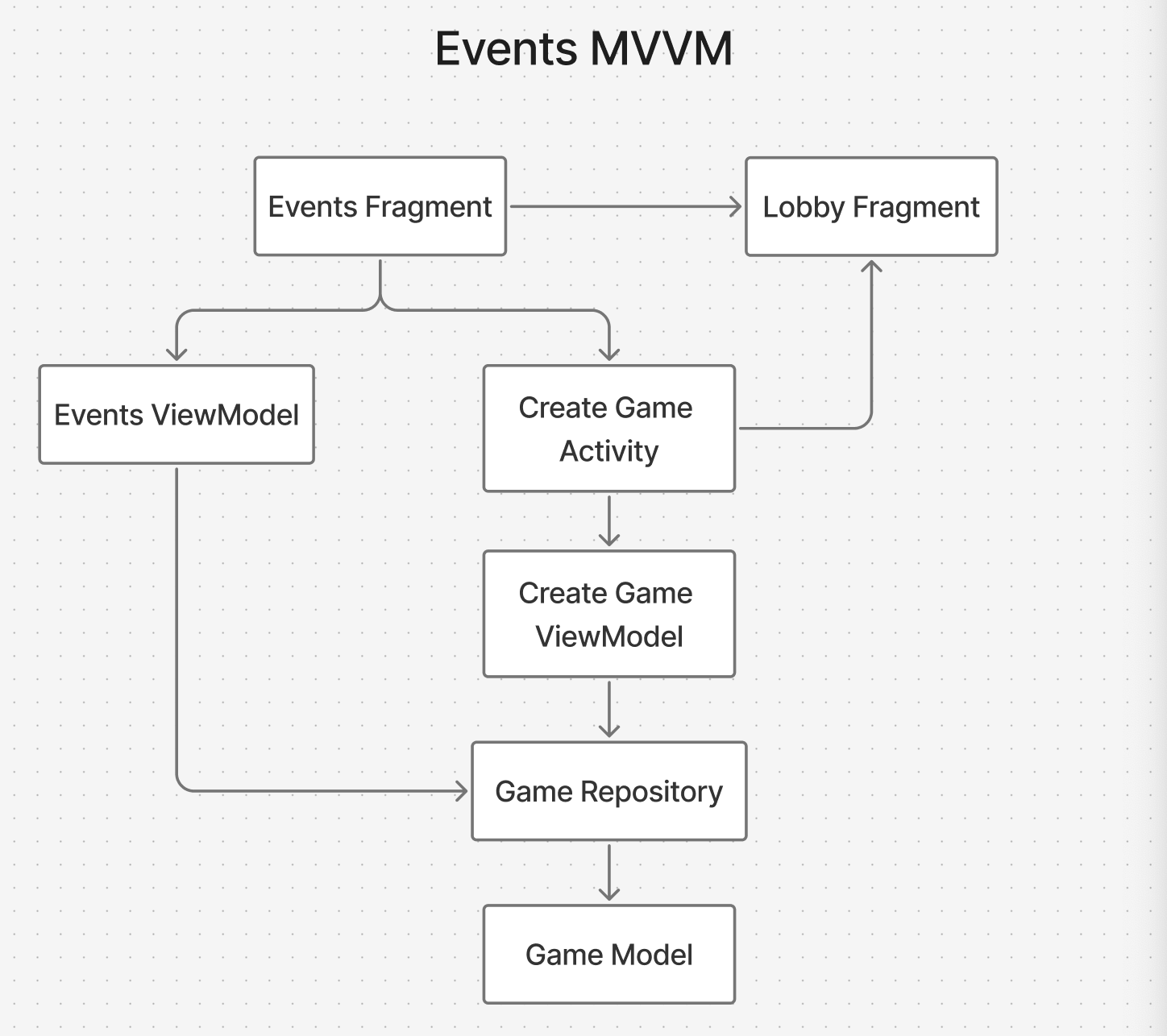
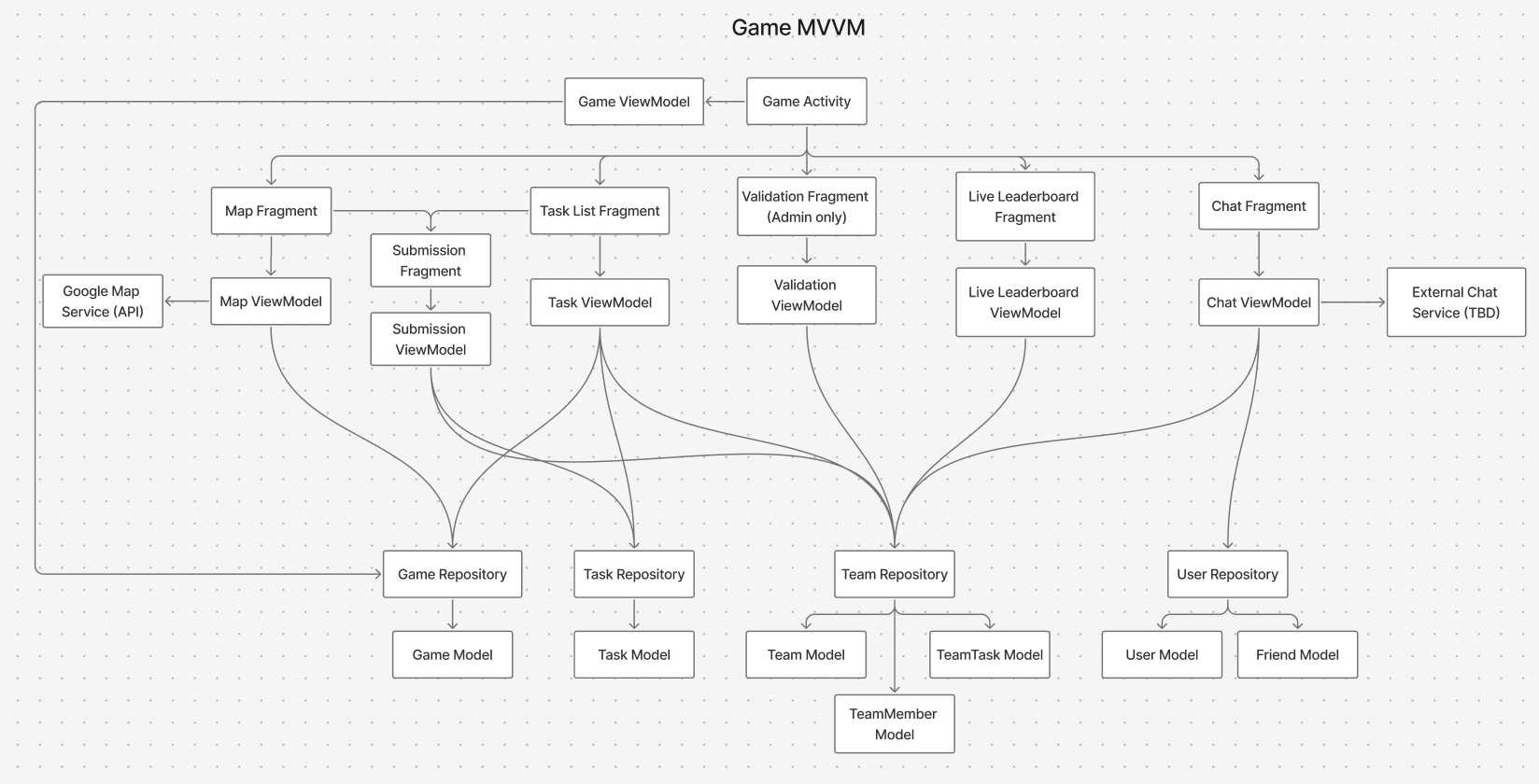
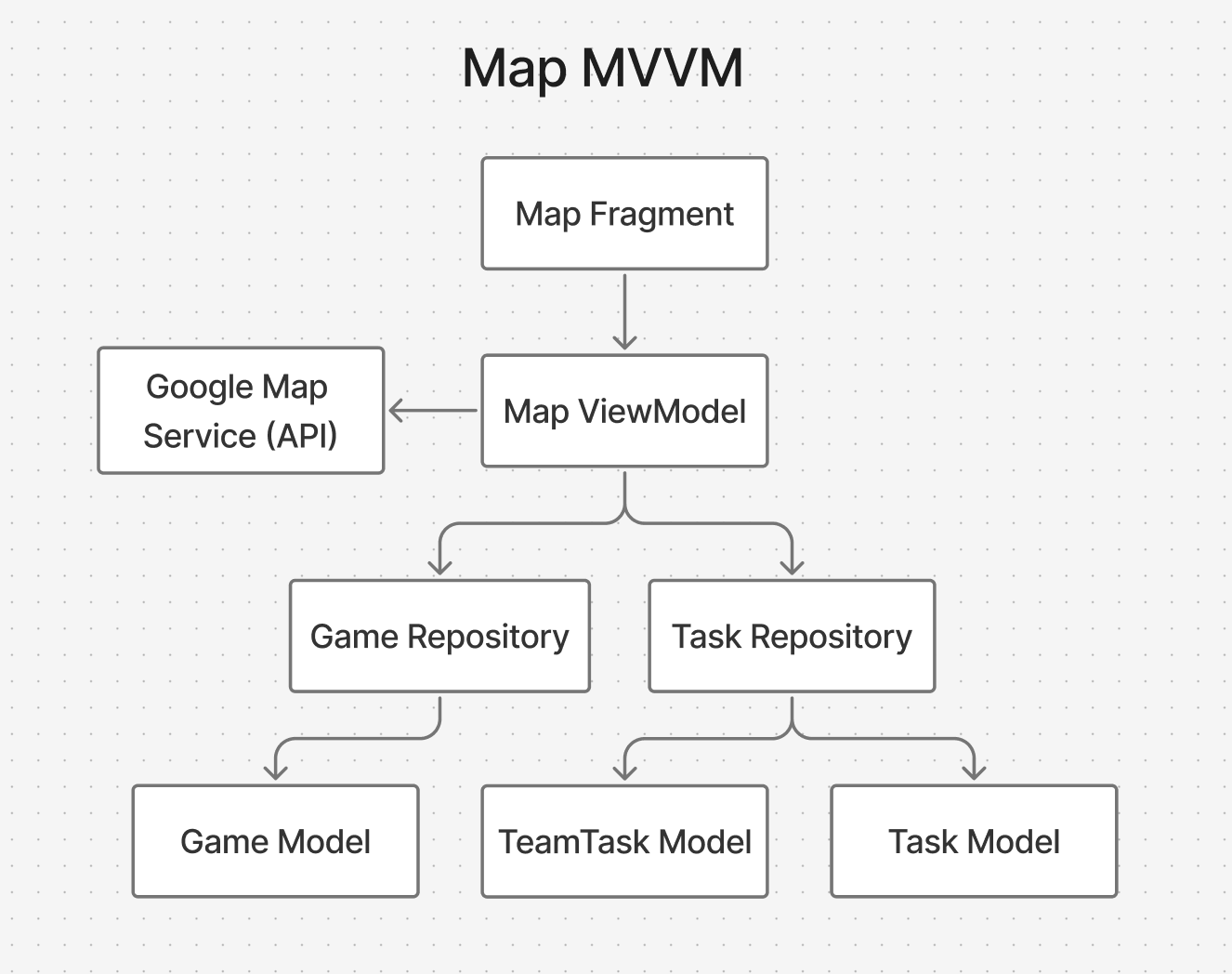
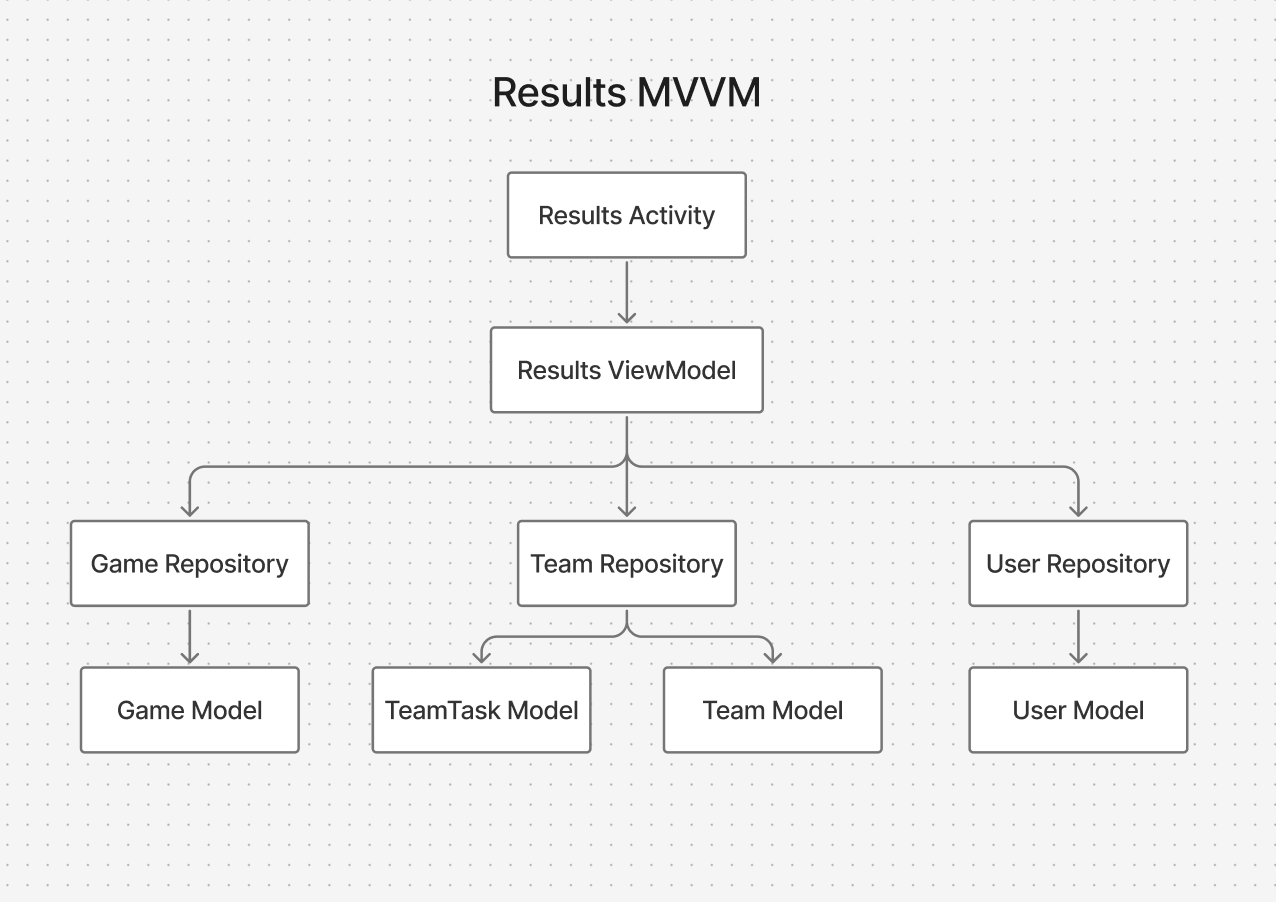
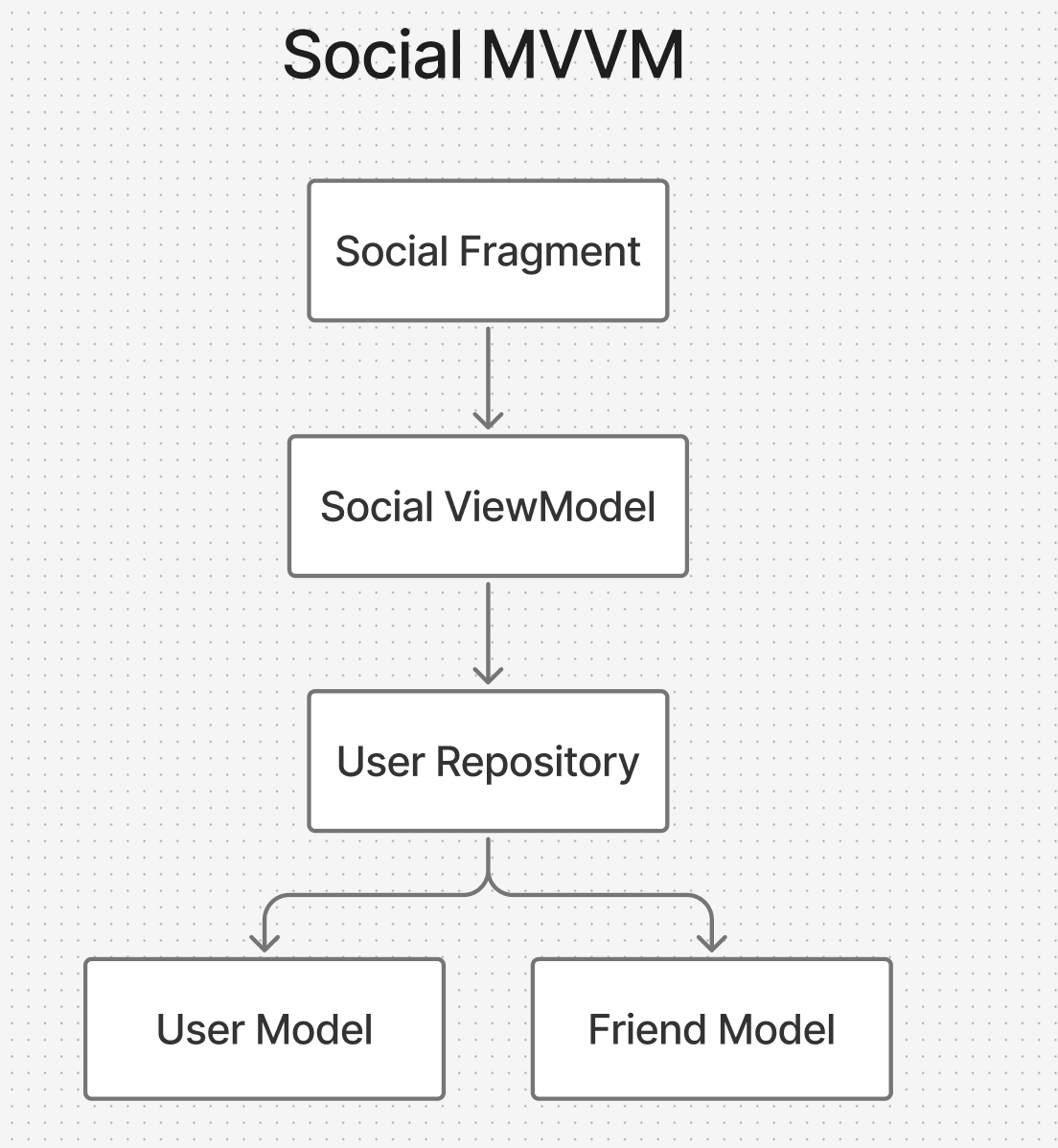
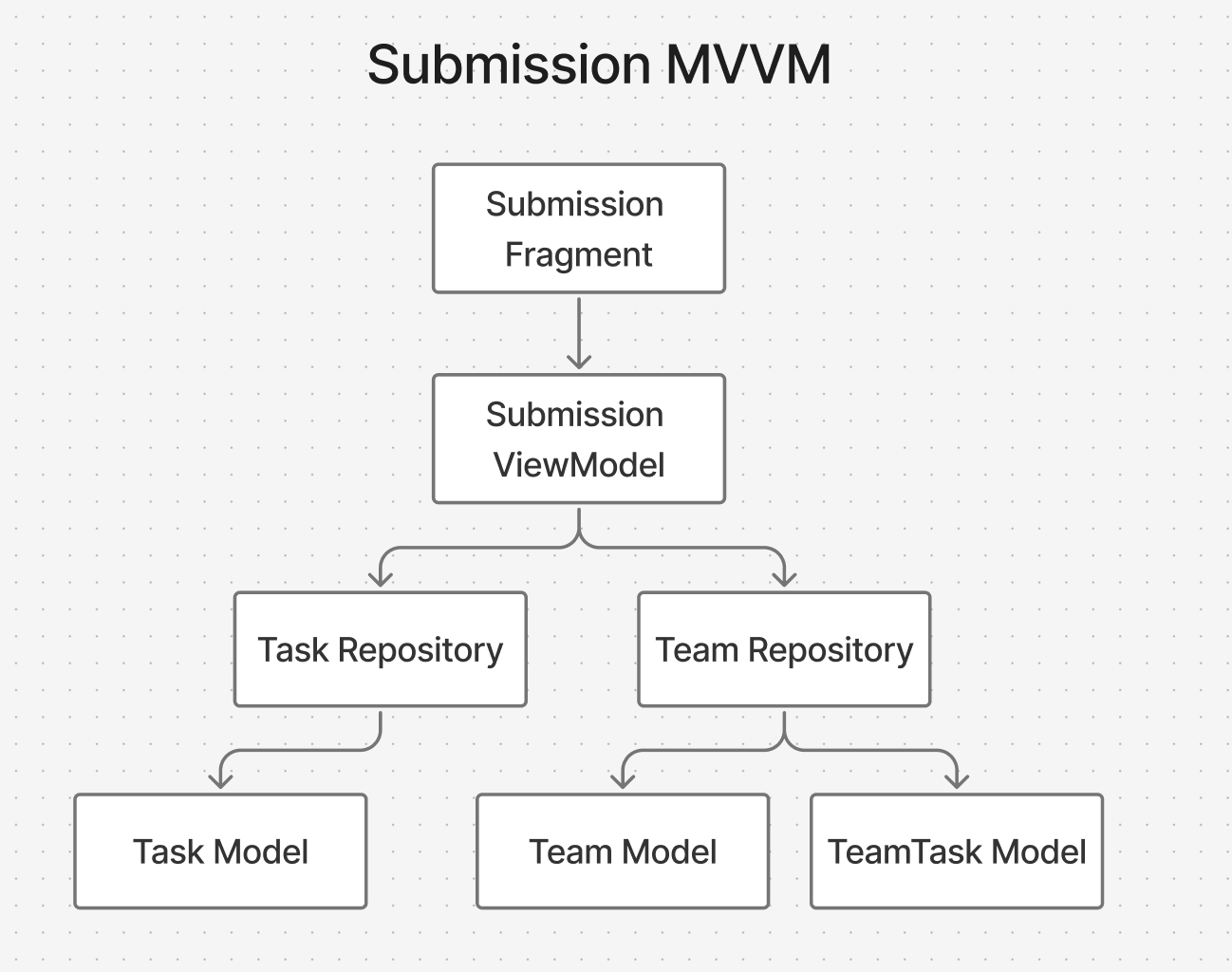
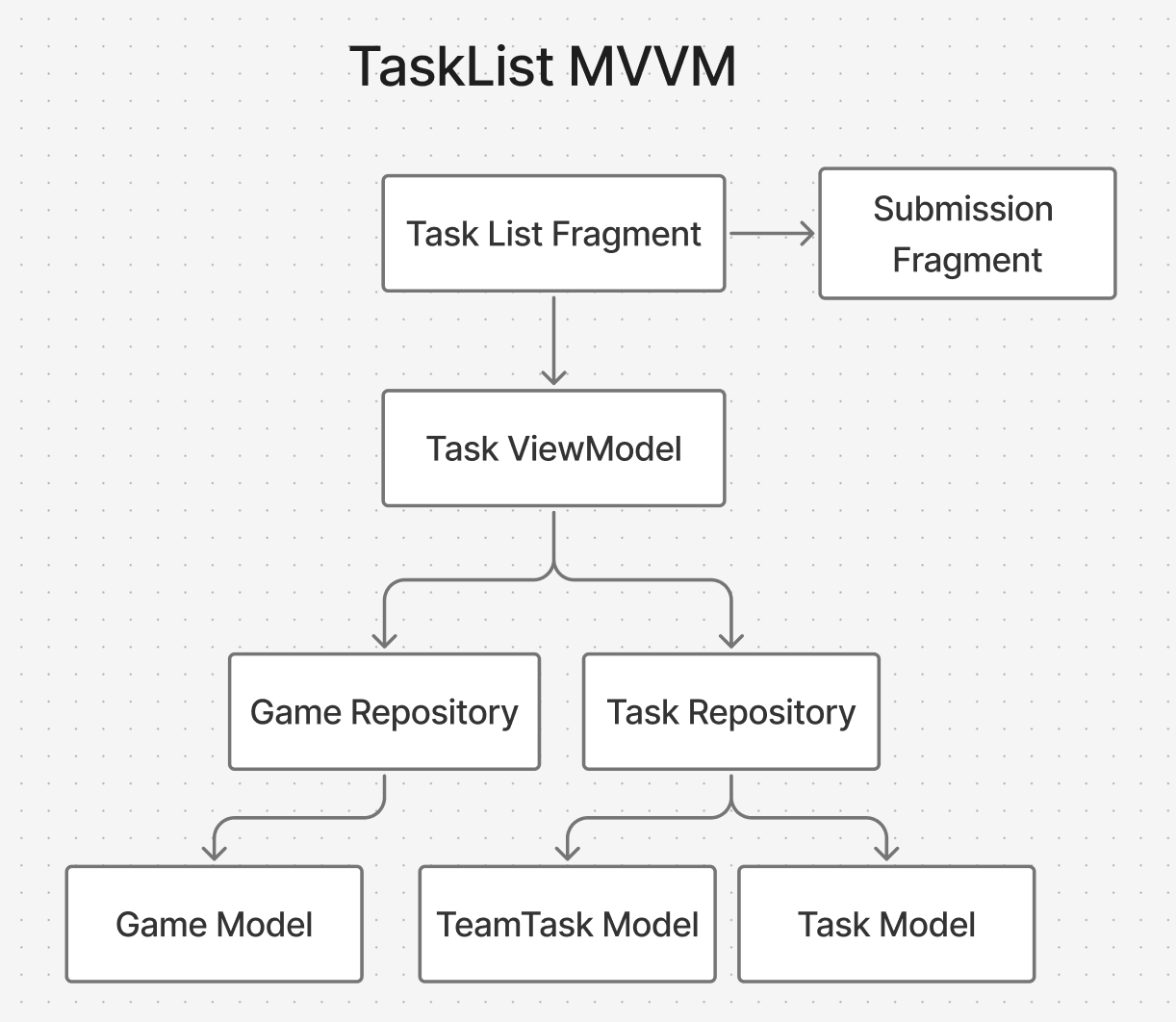
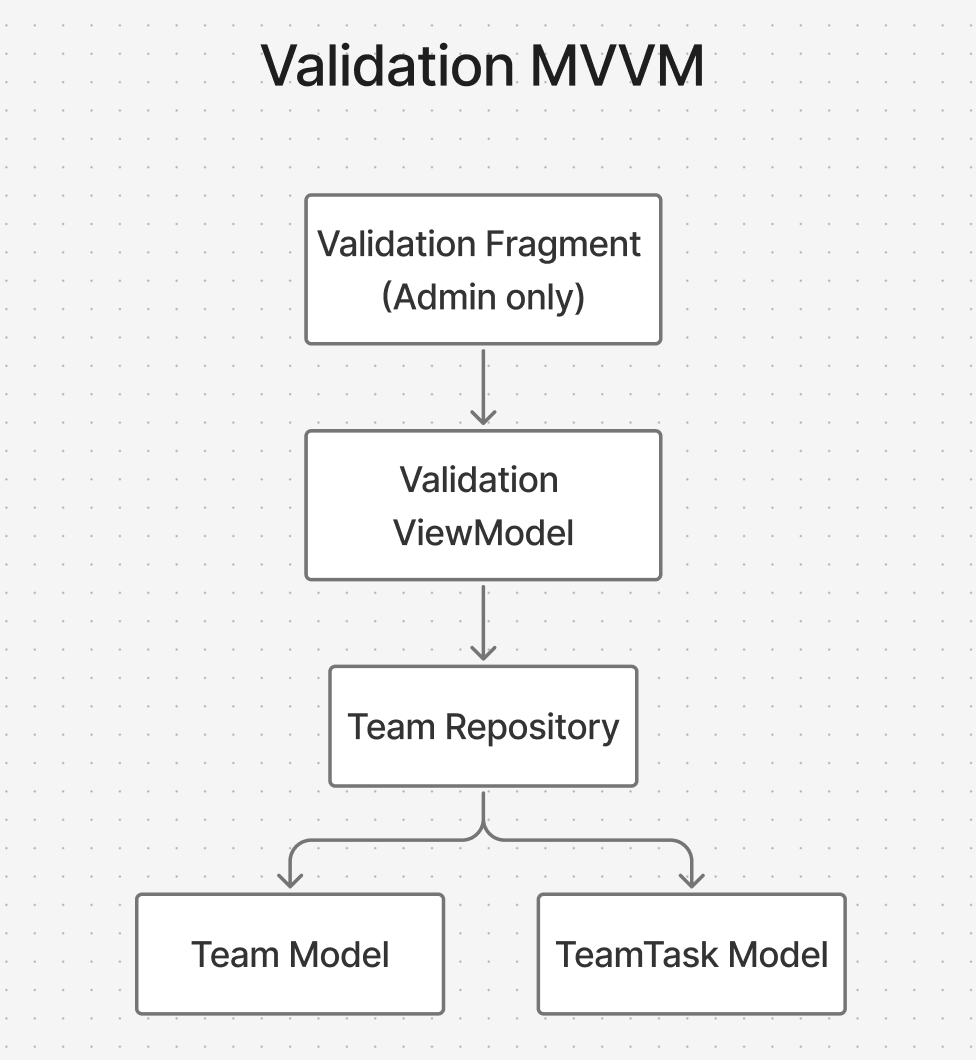
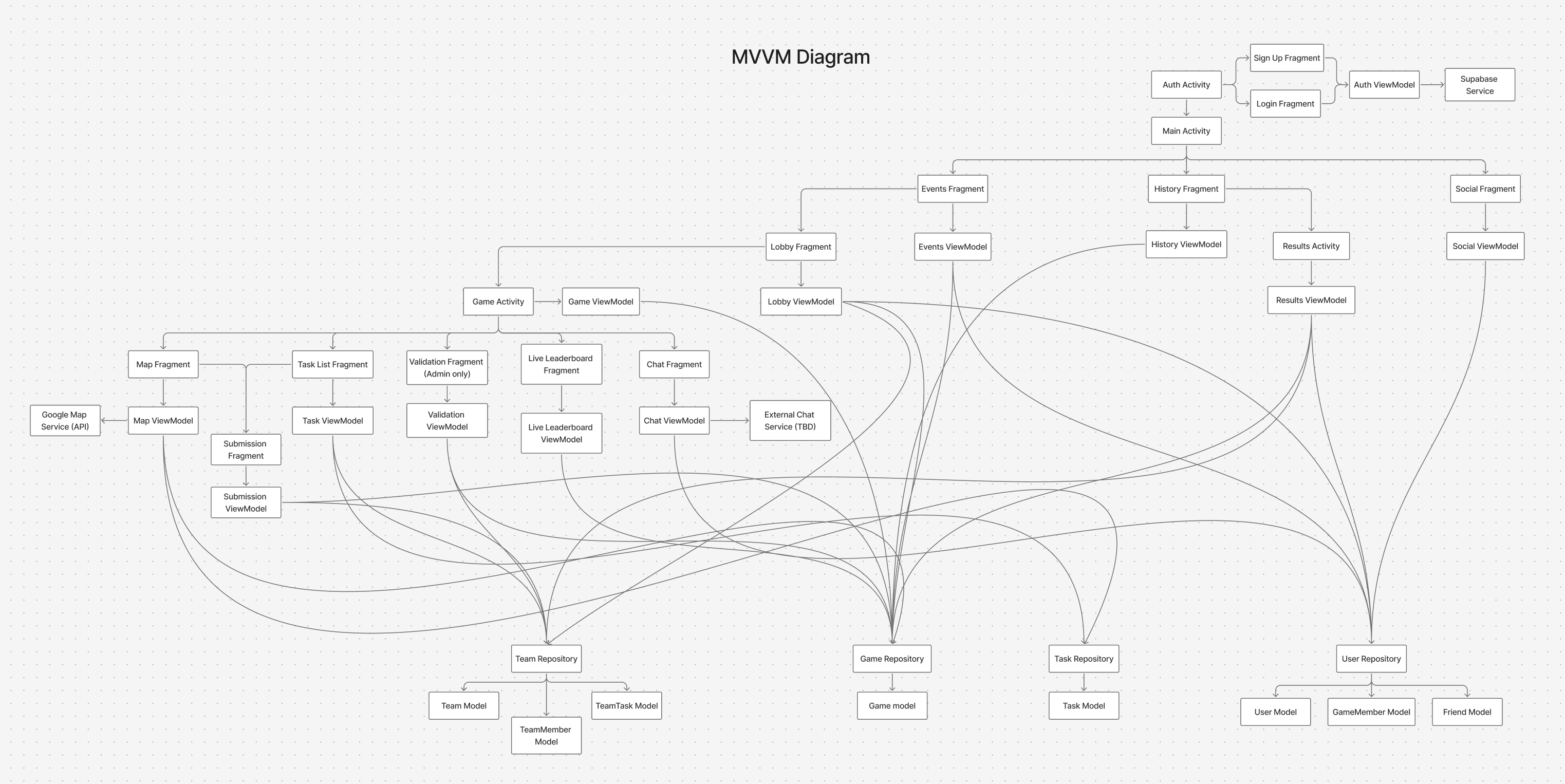
MVVM

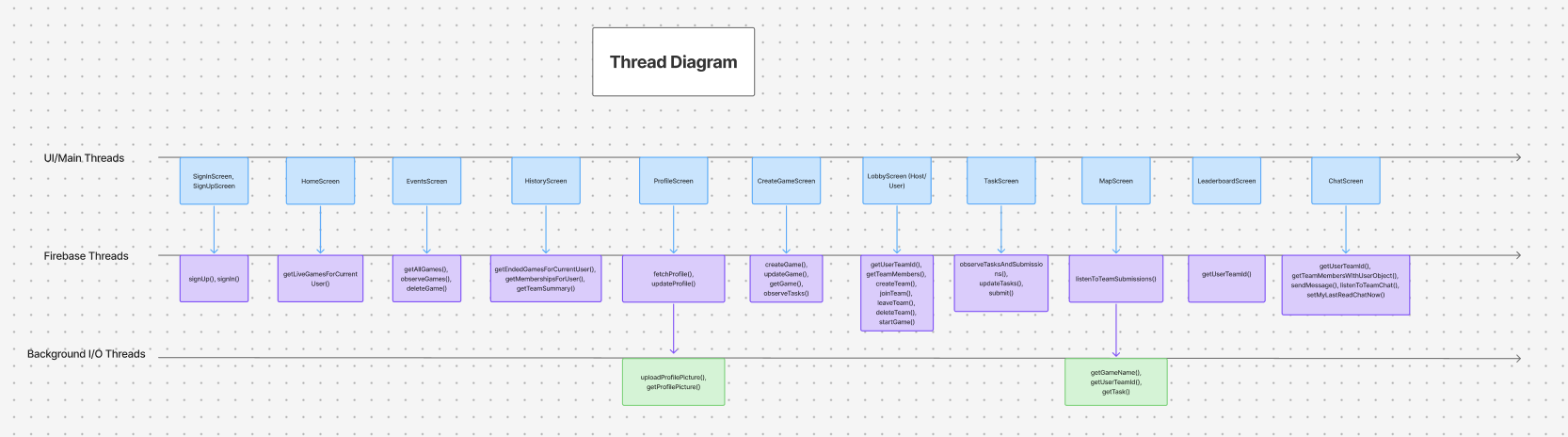
Threaded Diagram

Presentation Video

Final Presentation Video

Final Project Source Code

Download the complete source code for the SFU Scavenger Android application.

Download Project ZIP